

Canvas
Build research visually with connected nodes before CASi writes.
Cortex Canvas
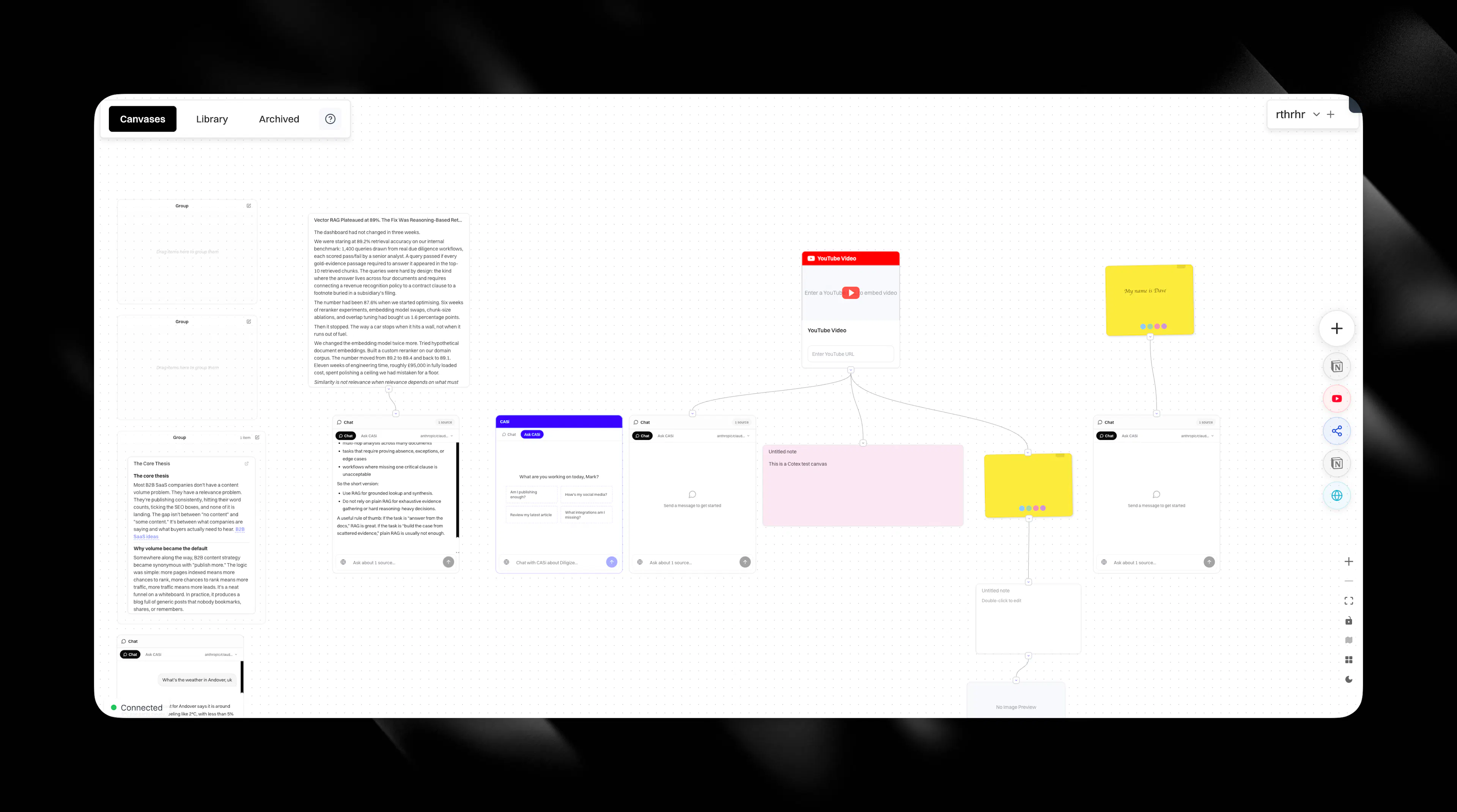
Cortex Canvas is your research workspace. Instead of starting from a blank prompt, you build context on a visual surface using nodes. Each node is a piece of source material. When you're ready, CASi writes from everything you've assembled.
How the canvas works
The canvas is a drag-and-drop surface where you create, connect, and organise research. Every piece of information you add becomes a node. Nodes persist indefinitely. The research your team builds today is still there next month, still feeding future articles.
Multiple people can work on the same canvas at the same time. Cursor indicators show who's inside each node. Edits arrive in real time with independent undo per person.
You can start with imported documents, an existing brief, a strategic question, or a completely blank canvas.
Choosing the right assistant
Canvas gives you three different ways to work:
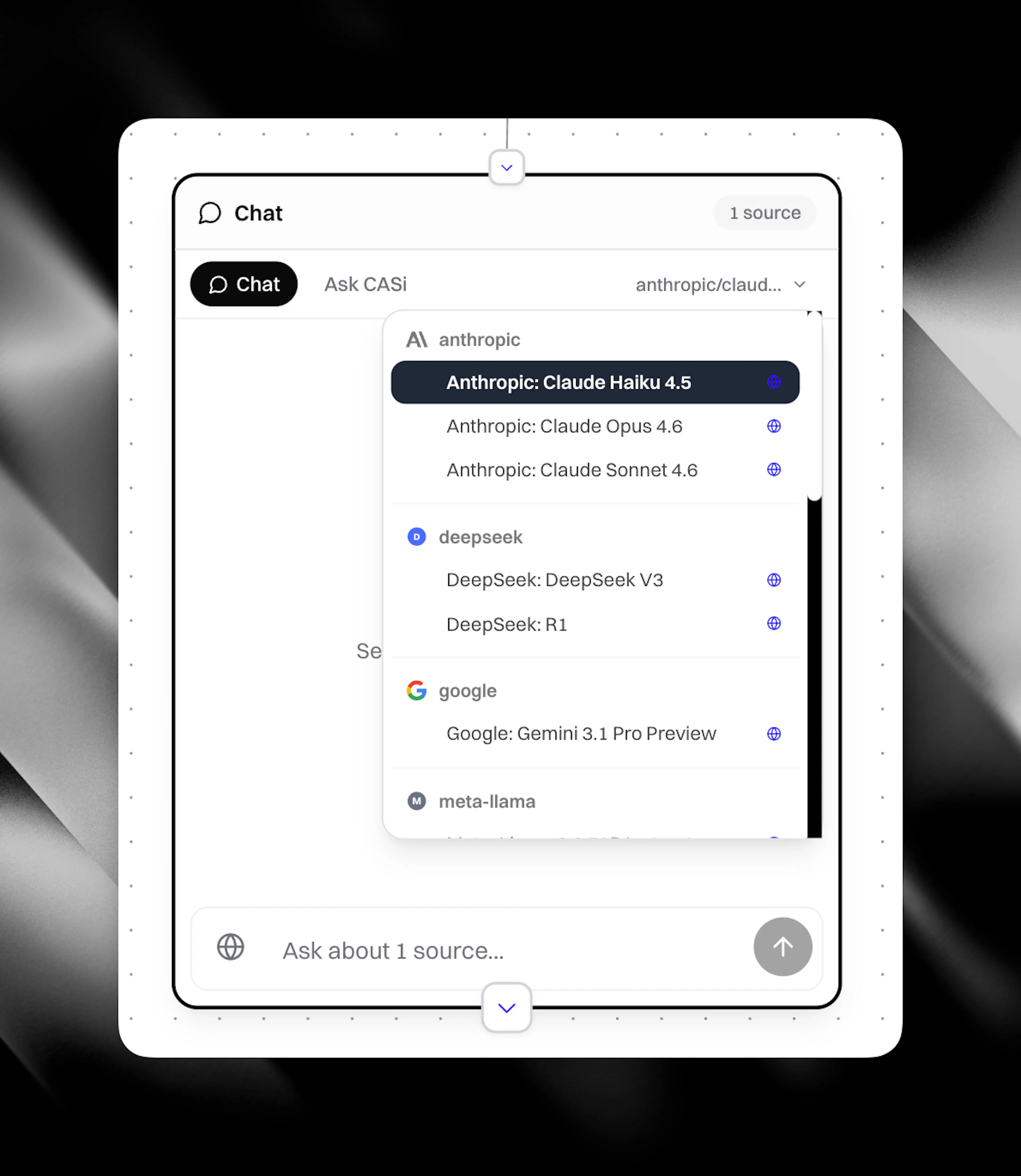
Standard chat. Use this when you want full model choice and a tighter conversation around the material in front of you.
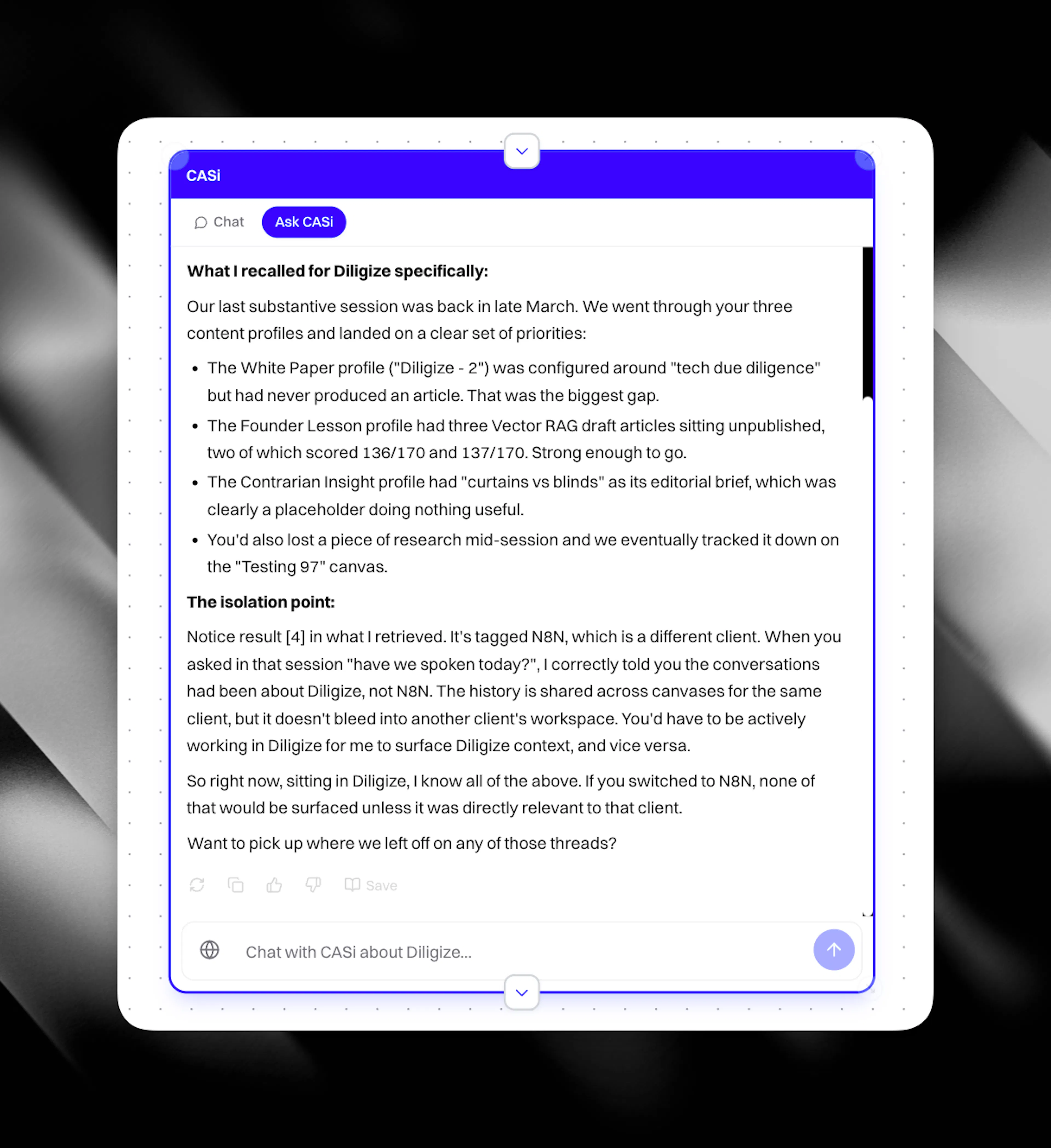
CASi. Use this when the work needs wider client context, brand memory, prior articles, competitor intelligence, or previous CASi conversations across canvases for the same client.
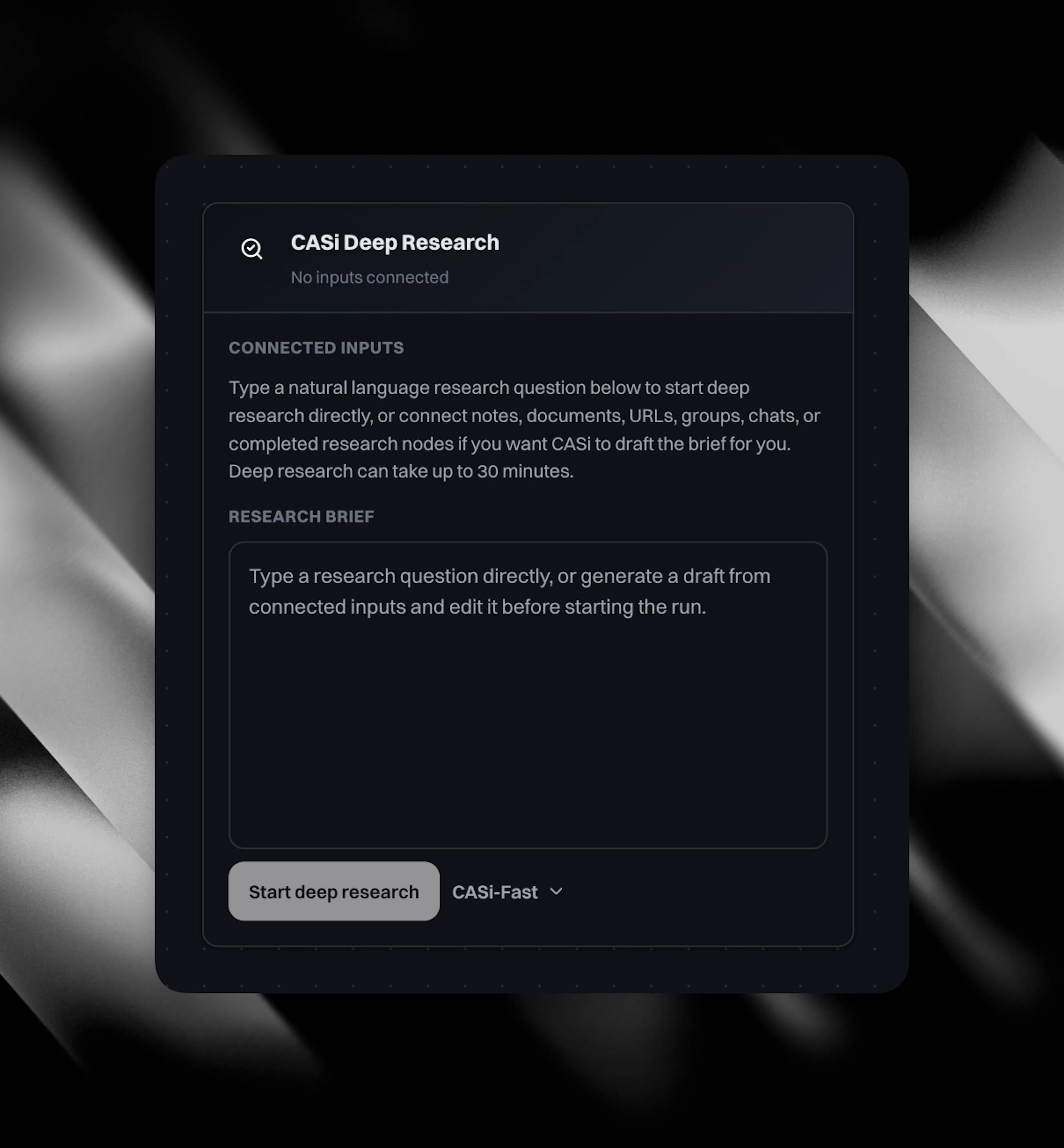
Deep Research. Use this when you want Eclipse to gather current sources, market context, and named evidence before you draft.
All three tools are available while the active client has positive AI balance.
Node types
Each node type deposits a different kind of evidence into your final output:
Scratchpad and notes. Write a rough thesis or editorial direction. This shapes the opening argument and narrative arc of the article CASi produces.
Connected workspaces. Pull in documents from Notion, Confluence, Google Drive, Monday, or Granola. Your exact product terminology appears in headings and claims, not a model's guess.
Deep research. Ask a strategic question and CASi returns findings with named competitors, current figures, and traceable references. See Deep Research.
Community research. Pull in Reddit threads and YouTube transcripts. Real buyer objections and questions become the answer sections in your content.
Image generation. Generate visuals from your assembled research across three quality tiers. See Image Generation.
Media sources. Upload a podcast recording or live discussion. Attributed quotes and first-person anecdotes land in the draft, reading as lived experience because they are.
Library items. Saved items from your library connect to new drafts. Approved language appears without re-entering it.
Web pages. Add URLs for pages your buyers already read. These become comparison points your article directly addresses.
Competitor cards. Rival positioning surfaces as the named gap your draft writes into.
Creating articles and social posts from the canvas
When your research is ready, the floating toolbar gives you two options: Create content for a full article, and Create social post for one post or a connected series. Pick the cards you want CASi to read from, apply a Content Profile or Social Profile (or configure manually), and the new card lands on the canvas wired up to the source cards you ticked.
The finished article lands in your content table. The finished social post lands in your social media table. Both arrive fully grounded in the evidence you assembled, ready to review, edit, and publish.
For the full step-by-step, see Create from Canvas.
What else comes out of the canvas
Beyond articles and social posts, the canvas also produces:
-
Reddit replies shaped by community research so your expertise sounds like it belongs in the thread.
-
Contextual visuals built from research nodes rather than from a separate description.
Canvas integrations
Connect workspace tools to pull documents directly onto the canvas:
-
Notion
-
Confluence
-
Google Drive
-
Monday
-
Granola
-
Spotify (for podcast transcripts)
See Cortex Integrations for setup details.