

Justifications
Review the full E-E-A-T analysis behind a standard article before you approve it.
Justifications
Justifications show the reasoning behind a standard article before you publish it. Instead of checking whether a draft sounds right in the abstract, you can inspect why specific decisions were made and how they connect back to the brief, the sources, and the reader you are targeting.
For the broader quality and approval model behind this panel, see Editorial Governance.
Where you find them
For non-Medium articles, the content table includes an E-E-A-T score on the article row.
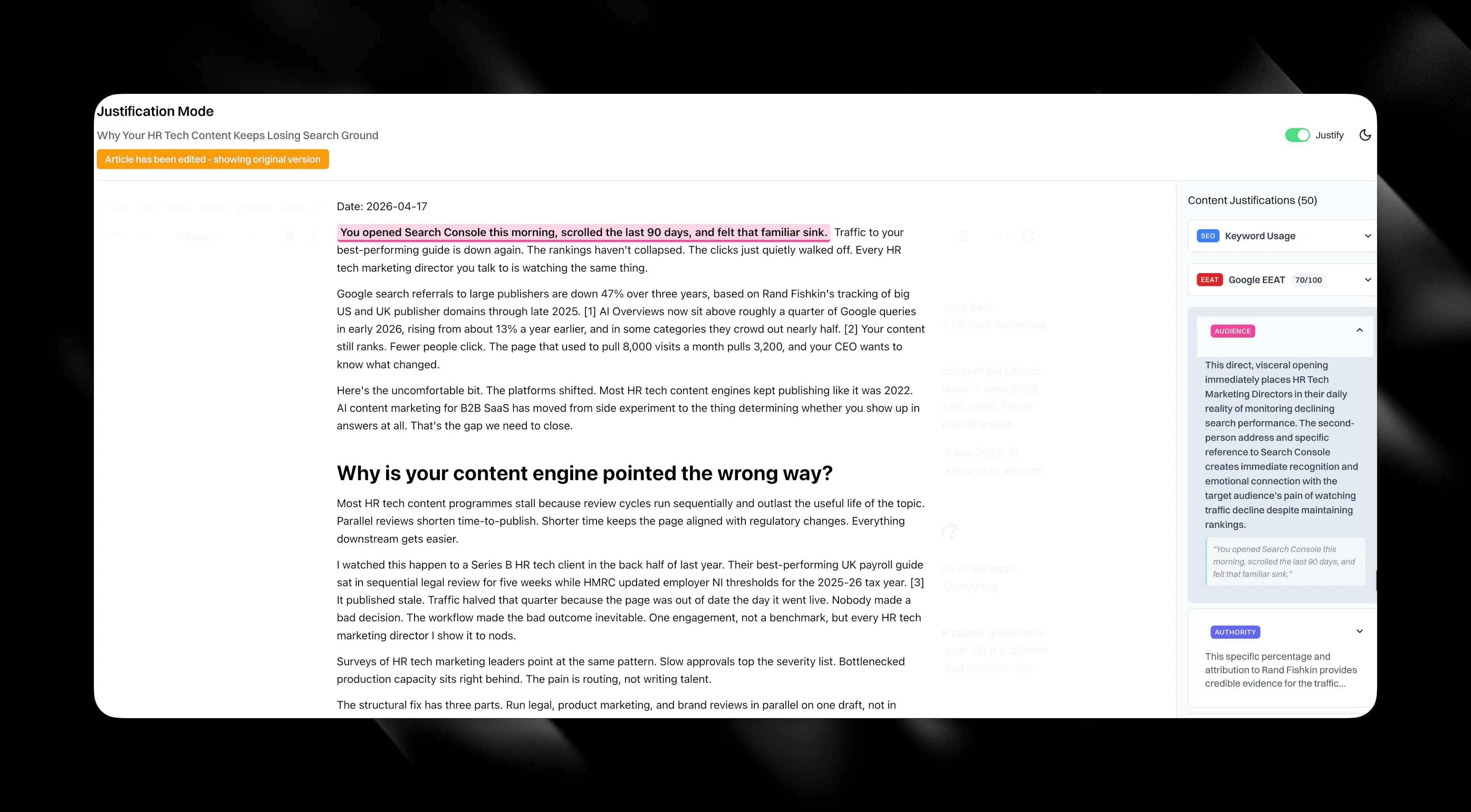
Open the article in the editor, then switch to the justification panel on the right-hand side. That panel contains the full E-E-A-T analysis for that specific content item.
The panel also shows the total justification count for the article, so you can see how many decisions have been analysed for that draft.
How the panel works
Each justification appears as an item in the panel.
Click any item to expand it. Eclipse then shows the full explanation of why that part of the article was written the way it was, why a source was included, how the wording fits the ICP, or why the structure supports the article's goal.
When you open a justification, Eclipse also highlights the related section in the article itself. That makes it easy to move between the explanation and the exact content it refers to.
What justifications help you review
Justifications are there to help you approve with confidence, not guesswork.
They explain decisions such as:
-
why a title or heading was chosen
-
why a claim or statistic was included
-
why a source or citation was used
-
how the article matches the target ICP
-
how the structure supports the reader journey
-
how the wording fits your brand voice and positioning
-
how the draft supports E-E-A-T standards before publish
The categories you will see
The panel groups justifications into simple categories so you can review the article from different angles.
-
Structure explains how the article is organised and why sections appear where they do.
-
Claims explains why specific statements, arguments, or proof points were included.
-
Audience targeting explains how the draft is tailored to the ICP, buyer role, or market.
-
Brand voice explains how the wording reflects your positioning, standards, and banned-pattern rules.
-
Sources and citations explains why evidence was chosen and how it supports the article.
-
Positioning explains how the article differentiates your brand or responds to competitors.
-
Strategic purpose explains how the piece supports the wider content goal, such as filling a visibility gap or answering a buyer question clearly.
Ask CASi inside the panel
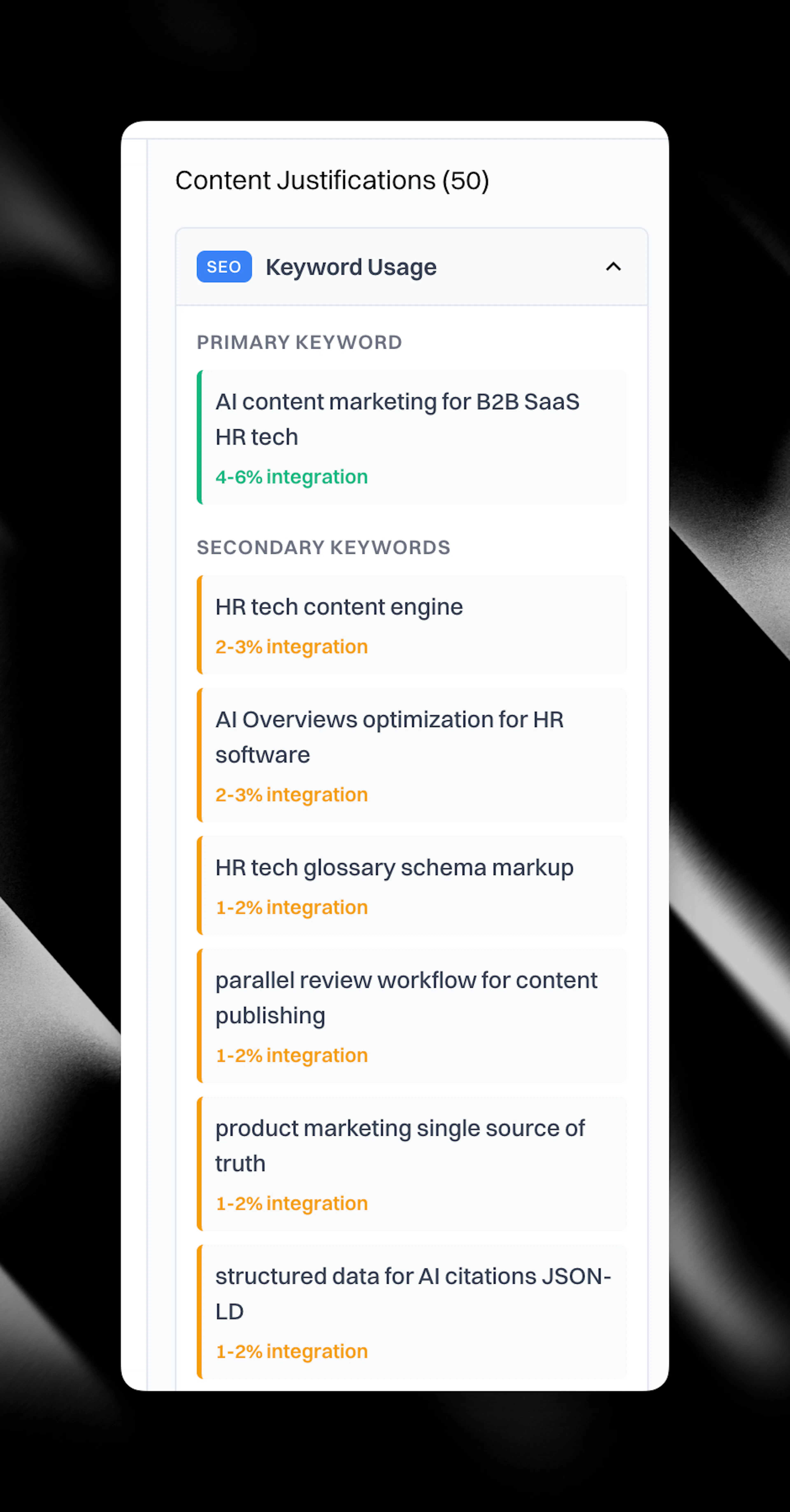
If you want a fuller explanation, use Ask CASi inside the justification panel.
That gives you a more detailed answer about the selected decision without leaving the editor. It is useful when you want more context before approving a title, a framing choice, or a cited claim.
What justifications are not
Justifications are not available in the same form for Medium-style articles.
Standard articles carry E-E-A-T scoring and per-article justification data. Medium and thought leadership article types use a different scoring model, so they do not show the same justification view.
How teams use justifications
Most teams use the panel as the final quality check before publishing:
-
Open the article from the content table.
-
Check the E-E-A-T score on the row for a quick read on the draft.
-
Open the justification panel in the editor.
-
Expand the most important justifications and review the highlighted sections in the draft.
-
Use Ask CASi if you want more detail.
-
Approve and publish when the reasoning, evidence, and wording all hold up.